Get started
Deploy your backend in minutes
Deploy a database and an AI agent in the cloud, connect them from the desktop app or your terminal, and build by chatting with your agent.
Deploy
A database and an AI agent, in the cloud
Connect
From the desktop app or your terminal
Build
Chat with your agent to ship your backend
How it works
What is ekoDB, and how does it work?
ekoDB gives you two building blocks: a database that holds your data (with chat, RAG, and vector search built in), and an AI agent that works directly on it. Both are fully managed cloud deployments. Just need storage? The database runs perfectly well on its own.
Deploy a database and an agent
Create two free deployments: a database and an agent that connects to it. Free to start; add the agent later if you want the database first.
Connect from your desktop or terminal
Download a client below to work with your deployments. Both connect to your cloud agent; neither runs the backend or holds your keys.
Desktop app
A native app for macOS, Linux, and Windows
Manage agents, chat, browse your collections, and watch tasks run in a full desktop UI. It connects to the agent you deployed in the cloud.
Download for macOS (Apple Silicon)ekodb-claw-gui-macos-aarch64.app.zip
After downloading
- unzip ekodb-claw-gui-macos-aarch64.app.zip
- xattr -cr ekodb-claw-gui.app
- mv ekodb-claw-gui.app /Applications/
- open /Applications/ekodb-claw-gui.app
- If macOS still warns you, right-click the app in Finder → Open.
Advanced: install via terminal
$curl -fsSL https://storage.googleapis.com/ekodb-cdn/releases/ekodb-claw/install/install.sh | bash -s -- guiAuto-detects your OS and CPU, installs to your PATH, and handles permissions for you.
Terminal client
An interactive agent in your terminal or shell
The same agent, keyboard-first. Authenticate, pick your deployment, and start a chat session right from the shell. Connects to your cloud agent too.
Download for macOS (Apple Silicon)ekodb-claw-cli-macos-aarch64
After downloading
- chmod +x ekodb-claw-cli-macos-aarch64
- xattr -d com.apple.quarantine ekodb-claw-cli-macos-aarch64
- ./ekodb-claw-cli-macos-aarch64
Advanced: install via terminal
$curl -fsSL https://storage.googleapis.com/ekodb-cdn/releases/ekodb-claw/install/install.sh | bash -s -- cliAuto-detects your OS and CPU, installs to your PATH, and handles permissions for you.
Build with your agent
Chat with your agent to design your backend. It can create collections, schemas, and functions directly in your database, run tools, goals, and scheduled tasks, manage deployments, and more. This is where you actually build.
Build your first agentNew to ekoDB? Read the quick start guide.
Deployment
From pilot to production in minutes
Provision a governed database and an AI agent in a few minutes, and connect them. The agent runs tools, goals, and scheduled tasks against your data under the same auth and encryption as every query. Prefer just a database? It runs on its own, with built-in AI chat and RAG.
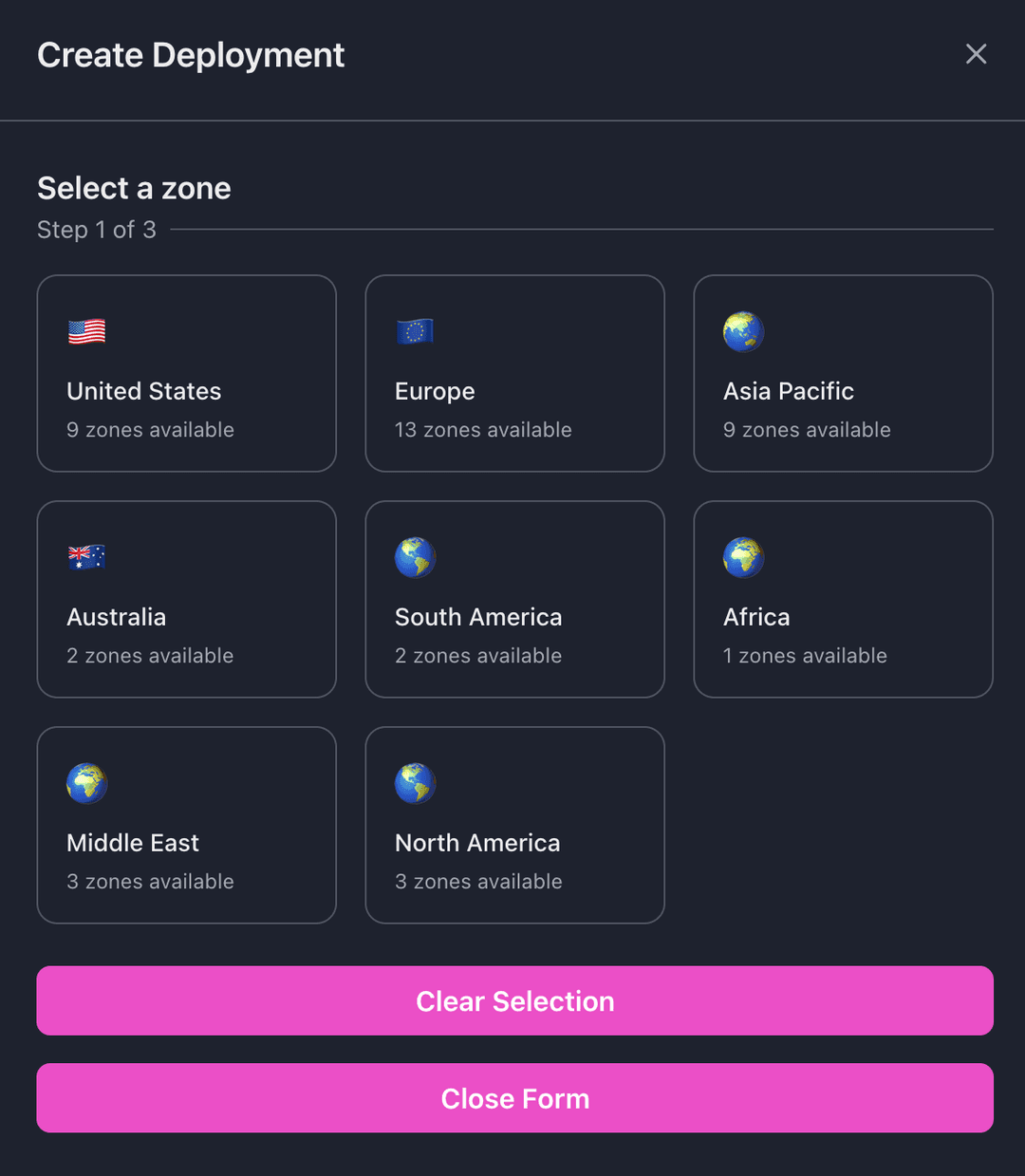
Select a region
ekoDB has worldwide deployment capability. Select a zone to localize your instance and provide the fastest connection for your application.
Pick a machine
Choose the hardware that fits your workload. Start on a free trial instance to evaluate on real data, then scale to production-ready machines sized for your team - free to try for a limited time.

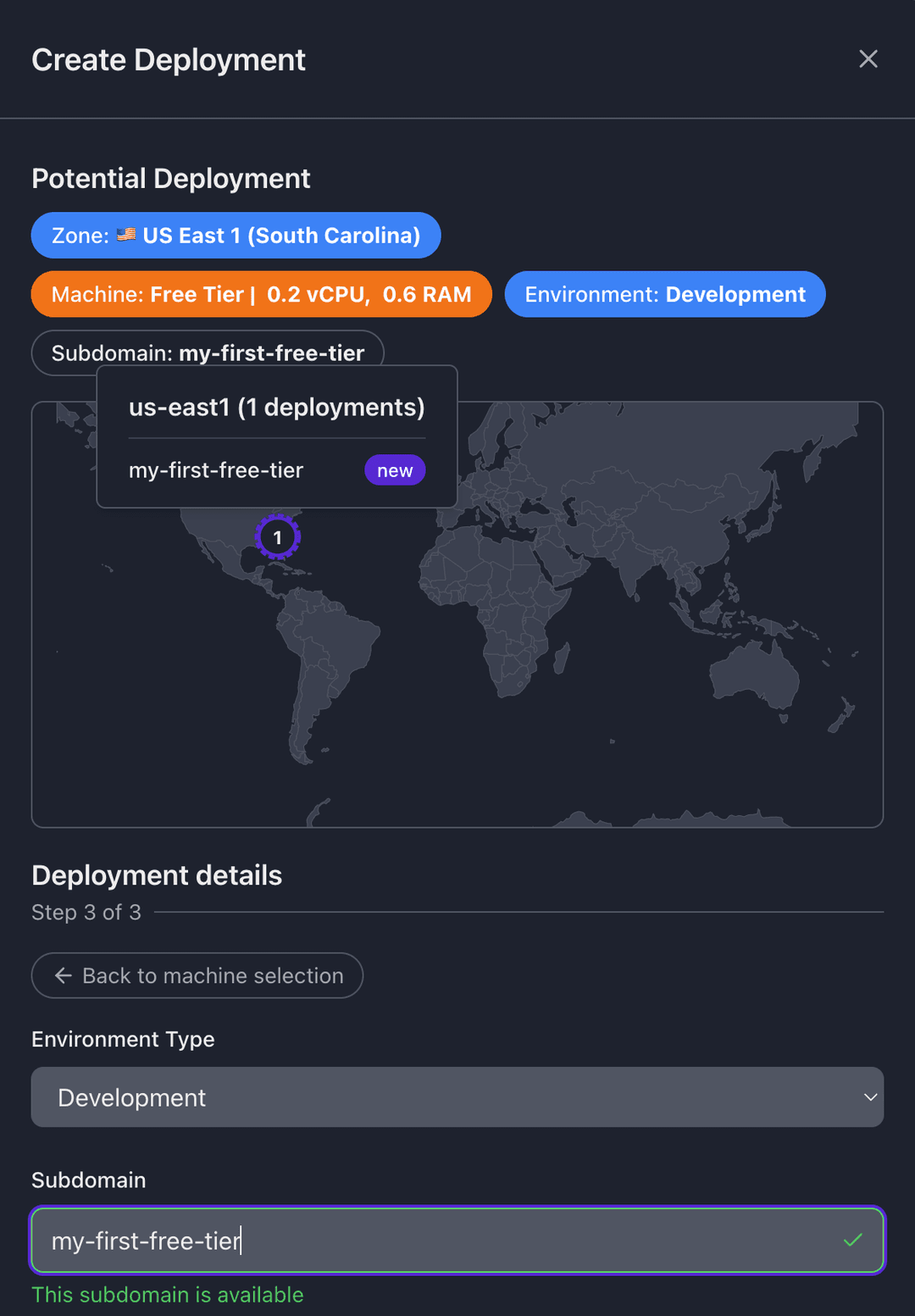
Customize your subdomain and environment
Choose any available custom subdomain and select an environment flag - development, testing, staging, or production.
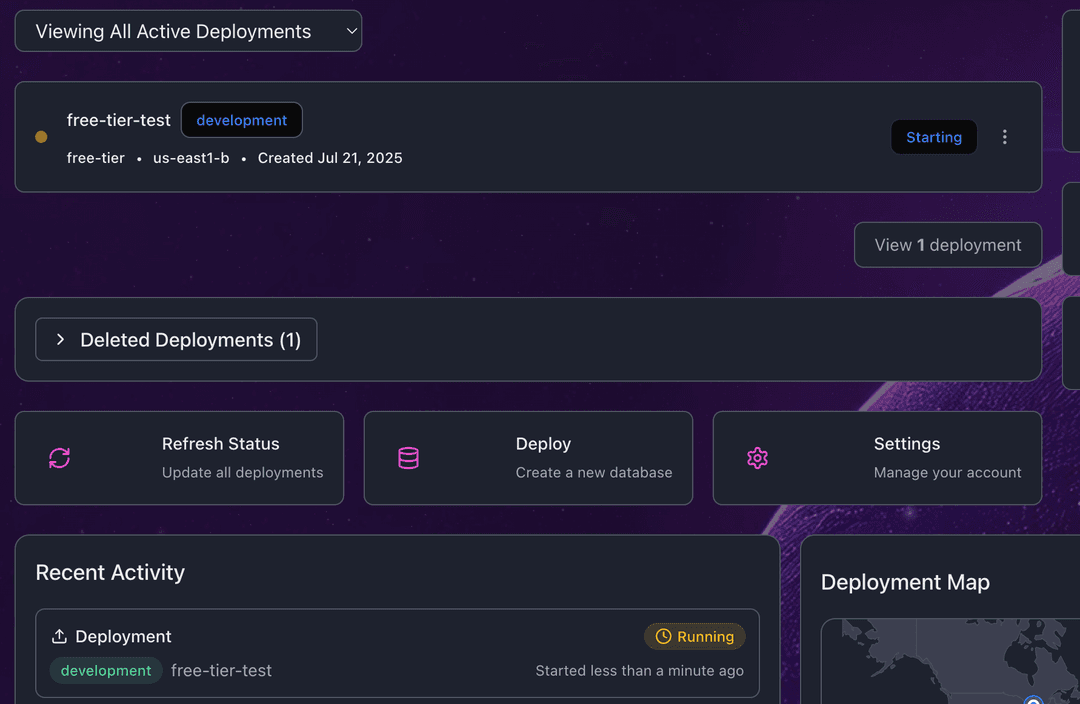
Deploy
Click deploy and get real-time updates as your database spins up. Watch your deployment go from Initializing to Starting to Running - typically in just a few minutes.
AI agents
Deploy an AI agent the same way
Pick the AI Agent module, then connect it to a database you've deployed. The agent runs tools, goals, and scheduled tasks against your data. An agent always works with a database; a database needs nothing else.
Build your first AI agent